
Key takeaways
- For smaller teams prioritizing predictable costs and easy adoption: MightyCall and PhoneBurner.
- For larger or more complex contact center operations: RingCentral RingCX, Nextiva Contact Center, and Five9.
- For high-volume outbound sales teams: Readymode.
- For teams that want an open-source, highly configurable platform: VICIdial.
- When comparing options: consider preview dialing controls, CRM integrations, automation, reporting, compliance features, scalability, and total cost.
- Smaller teams may benefit more from simplicity and bundled pricing, while complex operations may prioritize advanced routing, analytics, permissions, and campaign controls.
Selecting the top preview dialer software depends on what your team needs from its calling workflow. For smaller teams, ease of adoption and predictable costs may matter most. More complex operations may need deeper controls, automation, analytics, and integrations. The right choice ultimately comes down to team size, calling workflow, features, integrations, and budget.
7 top preview dialer software in 2026: Quick comparison
The table below compares seven preview dialer platforms using the same core criteria:
| Product | Starting price (for preview)* | Auto dialer types | Local presence | Voicemail drop | AI Call Summary | Live Call Monitoring |
|---|---|---|---|---|---|---|
| MightyCall | $54/user/mo | Preview, Progressive, Predictive | Yes | Yes | Yes | Yes |
| RingCentral RingCX | $65/user/mo | Preview, Progressive, Predictive | Yes | Add-on | Yes (RingSense) | Yes |
| PhoneBurner | $140/user/mo | Preview-style single-line power (no predictive) | Yes | Yes | Yes | Yes |
| Readymode | $199/license/mo | Preview, progressive, predictive | Yes | Yes | Limited / add-on | Yes |
| VICIdial | Free (open source) | Preview, progressive, Ratio, predictive, manual, broadcast | Yes | Via config/scripts | No (third-party) | Yes |
| Nextiva Contact Center | Unspecified** | Preview, Progressive, Predictive | Limited | Yes | Yes (higher tiers) | Yes |
| Five9 | $119/user/mo (50-seat min) | Preview, Progressive, Predictive, Power | Yes | Yes | Yes (Agent Assist add-on) | Yes |
* Prices reflect the lowest listed plan that supports preview dialing with annual payment plans, except Five9 – it’s a monthly price.
** “Unspecified” means the preview dialer pricing plan isn’t clearly indicated, while vendors without public pricing are listed as “Custom quote”. “Add-on” means the feature is available separately but is not included in the listed plan.
If price transparency is the priority, start with providers that publish clear per-user pricing. For high-volume outbound calling, caller ID and spam-protection features may matter more. Teams with stricter compliance requirements should also compare DNC, consent, and call-control capabilities, rather than choosing on price alone.
How we evaluated the dialer software
We looked at the same core factors for every call center software, focusing on how each one works in a real calling environment.
- Preview-dialer availability: We confirmed that agents can review lead or account information before deciding whether to place a call.
- Price and transparency: We used published pricing where available and marked undisclosed pricing as Custom quote.
- Calling workflow: We considered whether the dialer suits high-context calls, such as B2B or insurance outreach, or higher-volume campaigns.
- Local presence: We checked whether local numbers are available and whether regional restrictions apply.
- Caller ID and spam protection: We looked for branded caller ID, SHAKEN/STIR support, and spam monitoring or remediation.
- Voicemail drop: We checked whether voicemail drop is available and whether it is included in the base plan.
- Compliance controls: We looked for DNC/TCPA-related features, consent controls, and audit trails.
- AI call summaries: We noted whether summaries are included, limited to certain plans, or available as an add-on.
- Live call monitoring: We checked for supervisor tools such as listen, whisper, and barge.
- Ease of adoption: We considered setup, integrations, and how much training a typical team would need.
- SMB and mid-market fit: We looked at plan structure, scalability, and administrative controls.
- Plan conditions: We flagged important features that require an add-on, higher tier, or custom plan.
- Ratings: We treated G2 and other review data as one source of information, not proof that a product is the best choice.
What is a preview dialer?
A preview dialer is software that shows an agent information about a lead or account before placing the call. The agent can review the available context and decide whether and when to make the call.
In a typical preview-dialing workflow, the system displays details such as contact information, account history, previous interactions, or notes. For example, a sales rep might review a prospect’s account history and recent activity before deciding to call and choosing how to approach the conversation.
Preview dialing can be particularly useful when agents need more context before each call, including:
- High-value B2B outreach where the conversation needs to be tailored to the account
- Insurance and financial services where agents may need to review customer or policy information first
- Renewal and upsell campaigns where account history can inform the conversation
Unlike more automated dialing modes, such as power or multi-line predictive dialing, preview mode gives the agent more control over when a call is placed. It generally favors pre-call review over maximizing the number of calls attempted in a given period.
7 best preview dialer software options: Full overview
1. MightyCall: Best preview dialer for small teams and solo agents
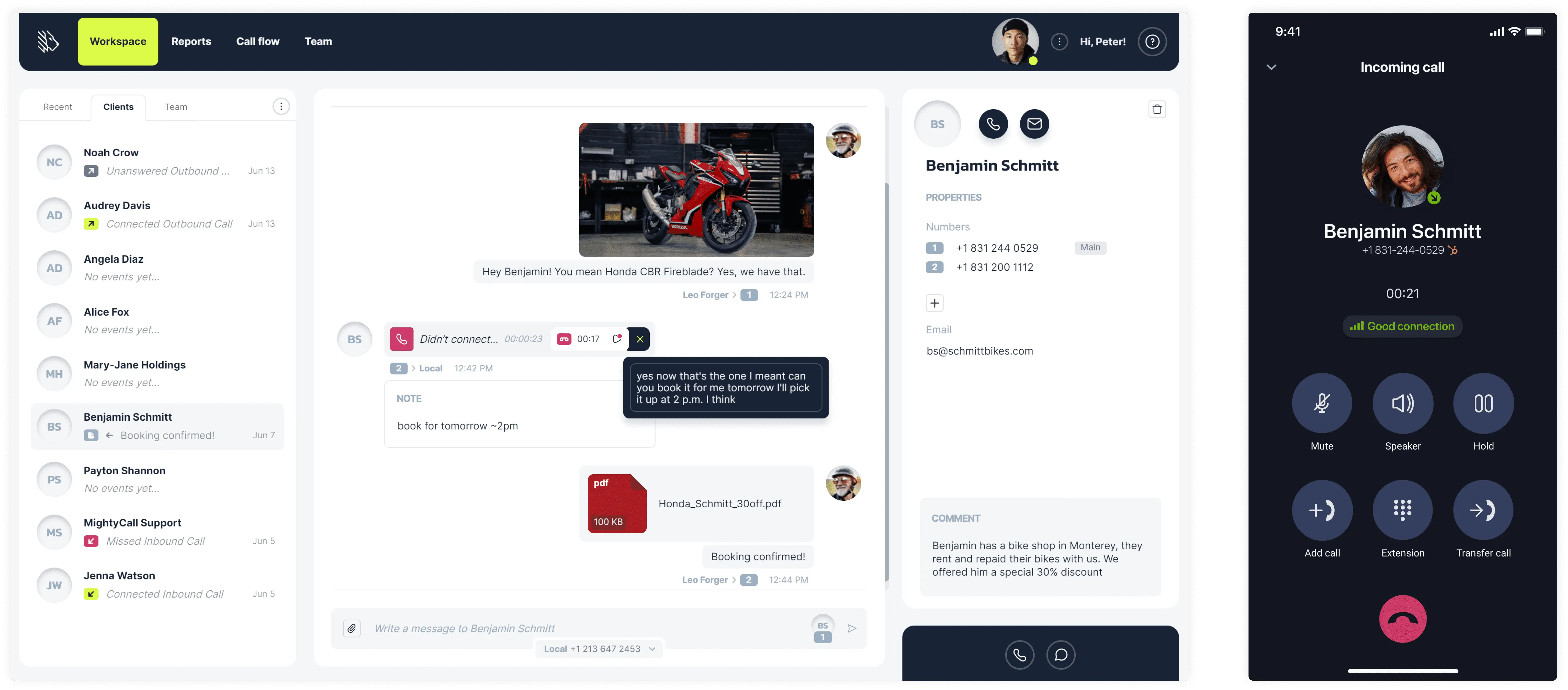
MightyCall is a cloud-based business phone system with preview and progressive dialing, built for small teams and solo agents. It stands out for offering preview mode at a relatively accessible price, with configurable settings for teams with even just one agent. That makes it a practical option for businesses that want to run a preview dialer without having the larger teams typically associated with predictive dialing.
Pricing (annual)
- Core: $20/user/mo
- Pro: $38/user/mo
- Power: $54/user/mo
- Enterprise: $65/user/mo
Pros and cons
| Pros | Cons |
|---|---|
| Accessible entry price for a preview dialer | Advanced AI features and some monitoring tools require higher-tier plans |
| Configurable preview time, wrap-up, and retry settings | Best suited to SMB workflows; large enterprise contact centers may need deeper CCaaS tooling |
| Preview mode available with just one agent |
Top features & integrations
- Auto dialer software: Preview, progressive, and predictive
- Call recording, transcription, and voicemail
- Shared lines, extensions, and call routing
- All major CRM integrations
- Mobile and desktop apps
- AMD
User feedback
MightyCall holds a 4.4/5 rating on G2. The call center software is praised for ease of setup and reliable call quality for small teams; reviewers note good value for SMB use cases. A typical review highlights “simple onboarding and clear call logs” for small sales and support teams.


Best fit
Solo agents and small teams of 2–10 looking for an affordable, easy-to-use preview dialer without the complexity of a full CCaaS platform.
schedule your personalized demo with our amazing team

2. RingCentral RingCX: Best for true CCaaS value with advanced compliance controls
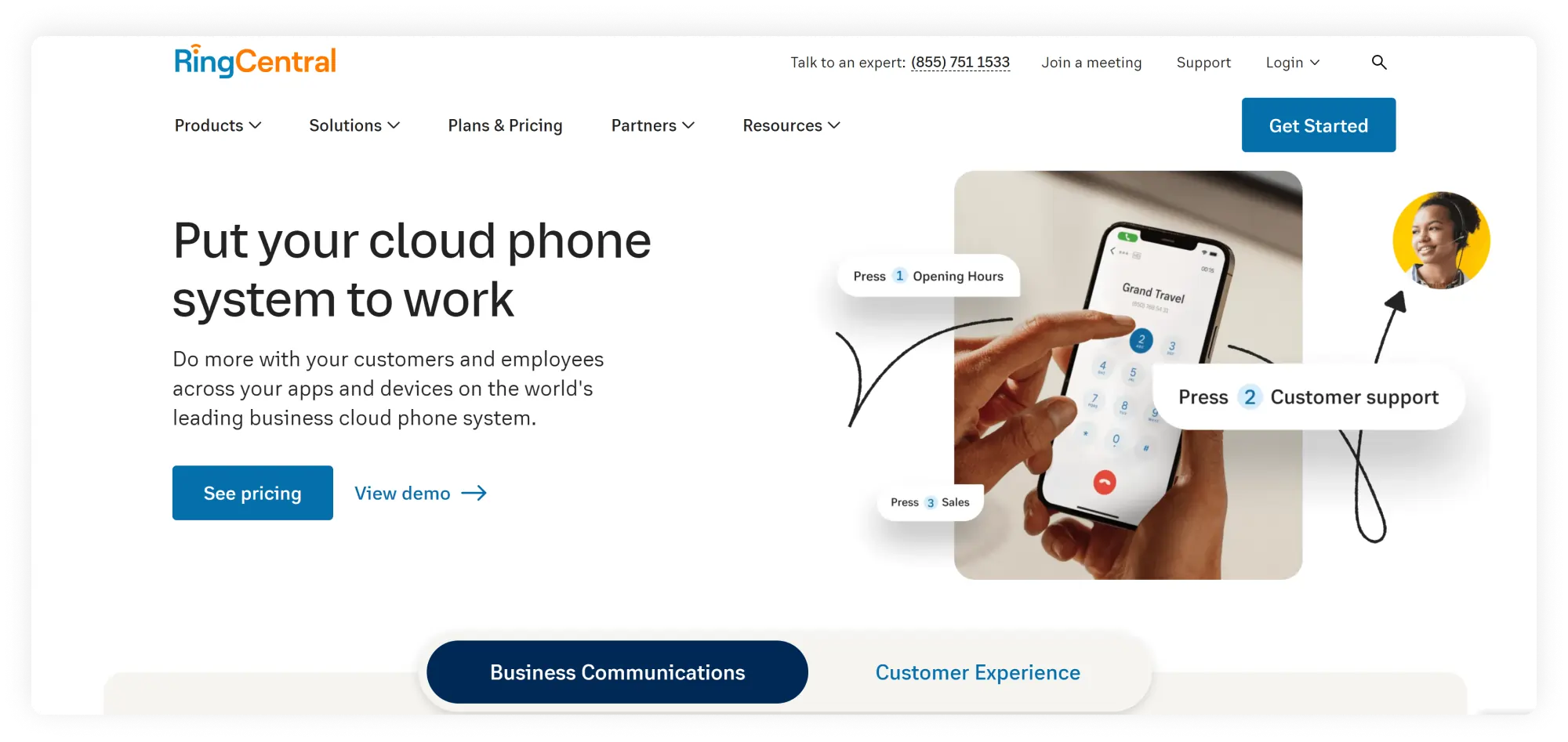
RingCentral RingCX is a full contact center platform that supports preview, progressive, predictive, and HCI (clicker-agent) dialing. It targets mid-market and enterprise teams, especially those already using or considering RingCentral’s UCaaS products. It stands out for its range of compliance controls, including HCI and separate ManualDial account types.
Pricing (annual)
- Standard: $65/user/mo
- Professional: $95/user/mo
- Elite: $145/user/mo
- Enterprise Contact Center: Custom pricing
Pros and cons
| Pros | Cons |
|---|---|
| Full suite of dialing modes in one platform | Some advanced compliance and AI features may require higher tiers |
| HCI (clicker-agent) dialing designed to reduce TCPA exposure on cell lists | Implementation might be more complex than other lightweight SMB dialers |
Top features & integrations
- Preview, progressive, predictive, HCI, and manual dialing
- Omnichannel routing (voice, chat, social, messaging)
- All major CRM integrations
- SHAKEN/STIR support and spam analytics
User feedback
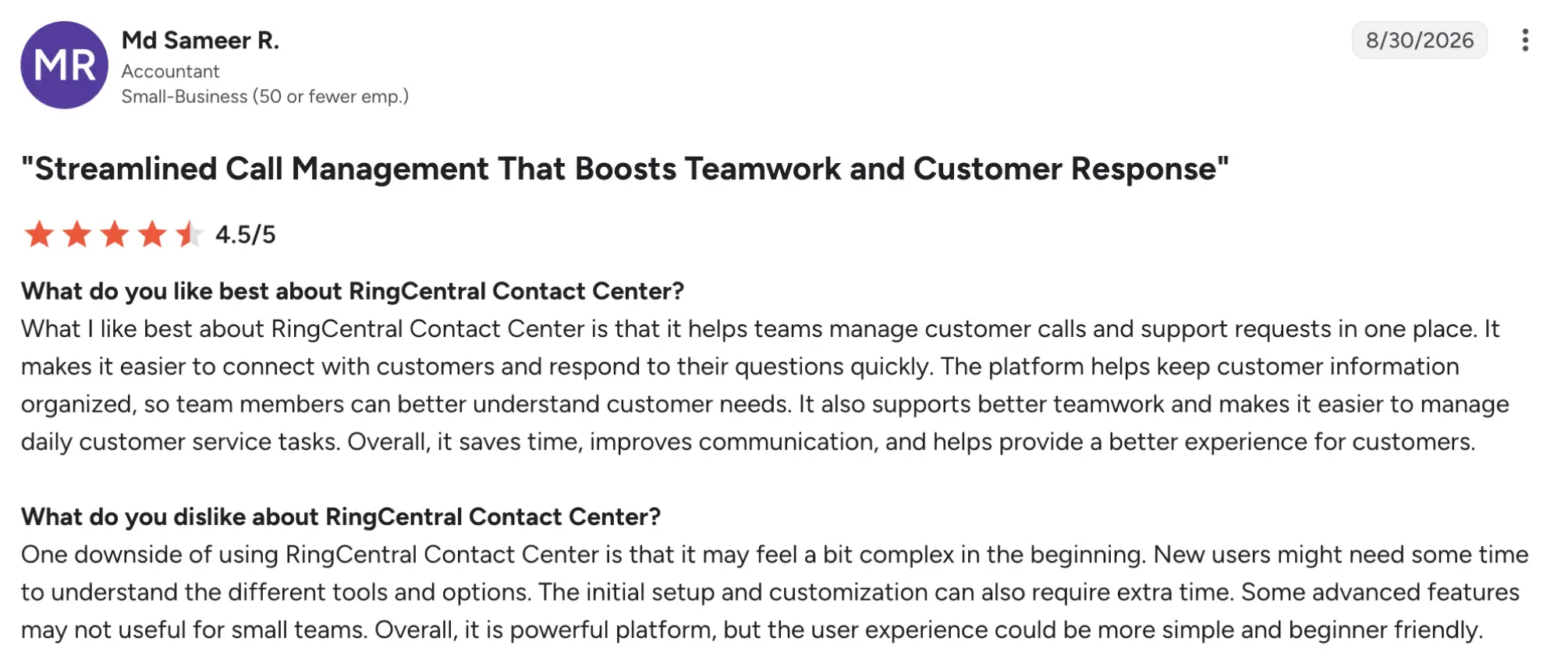
RingCentral holds a 4.1/5 rating on G2. The platform is widely rated for reliability and ecosystem depth; CCaaS users highlight strong admin controls and AI features. Users highlight enterprise‑grade tools. A common note, however, is that the platform may seem rather complex at first.
Best fit
Mid-market and enterprise contact centers, particularly existing RingCentral customers, that need advanced dialing options and compliance controls as part of a full CCaaS platform.
3. PhoneBurner: Best for quality-first, agent-controlled outreach
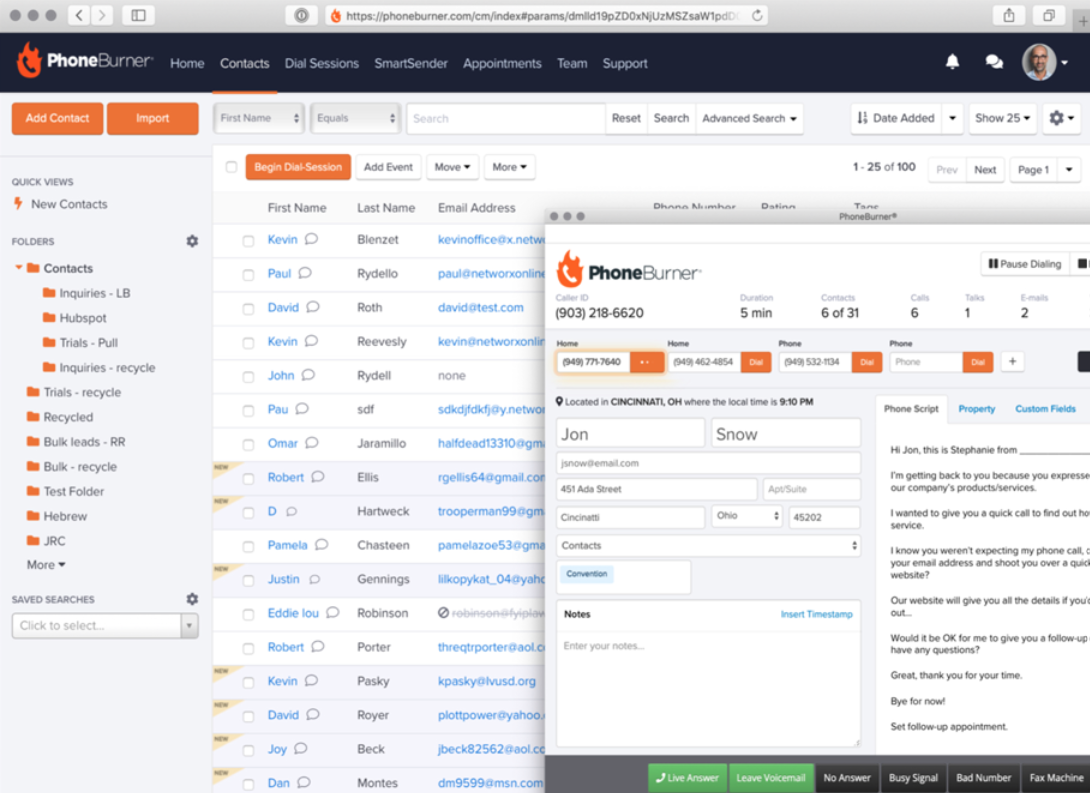
PhoneBurner is a sales dialer focused on agent-controlled outbound calling, with preview and power dialing rather than predictive dialing. It stands out for its ARMOR spam monitoring and remediation tools, along with local presence features. It can be a good fit for sales teams that want more control over each call and predictable pricing.
Pricing (annual)
- Standard: $140/user/mo
- Professional: $165/user/mo
- Premium: $183/user/mo
Pros and cons
| Pros | Cons |
|---|---|
| ARMOR spam-flag monitoring and remediation to protect caller-ID reputation | Advanced CRM integrations and some automation features may require higher tiers |
| Local presence across multiple regions to improve answer rates | Best suited to sales teams; less ideal for full omnichannel contact centers |
| Flat billing with fewer add-on stacks compared to other platforms |
Top features & integrations
- Preview and power dialing
- ARMOR spam‑flag monitoring and remediation
- Local presence
- Caller ID management
- Voicemail drop
- All major CRM integrations
User feedback
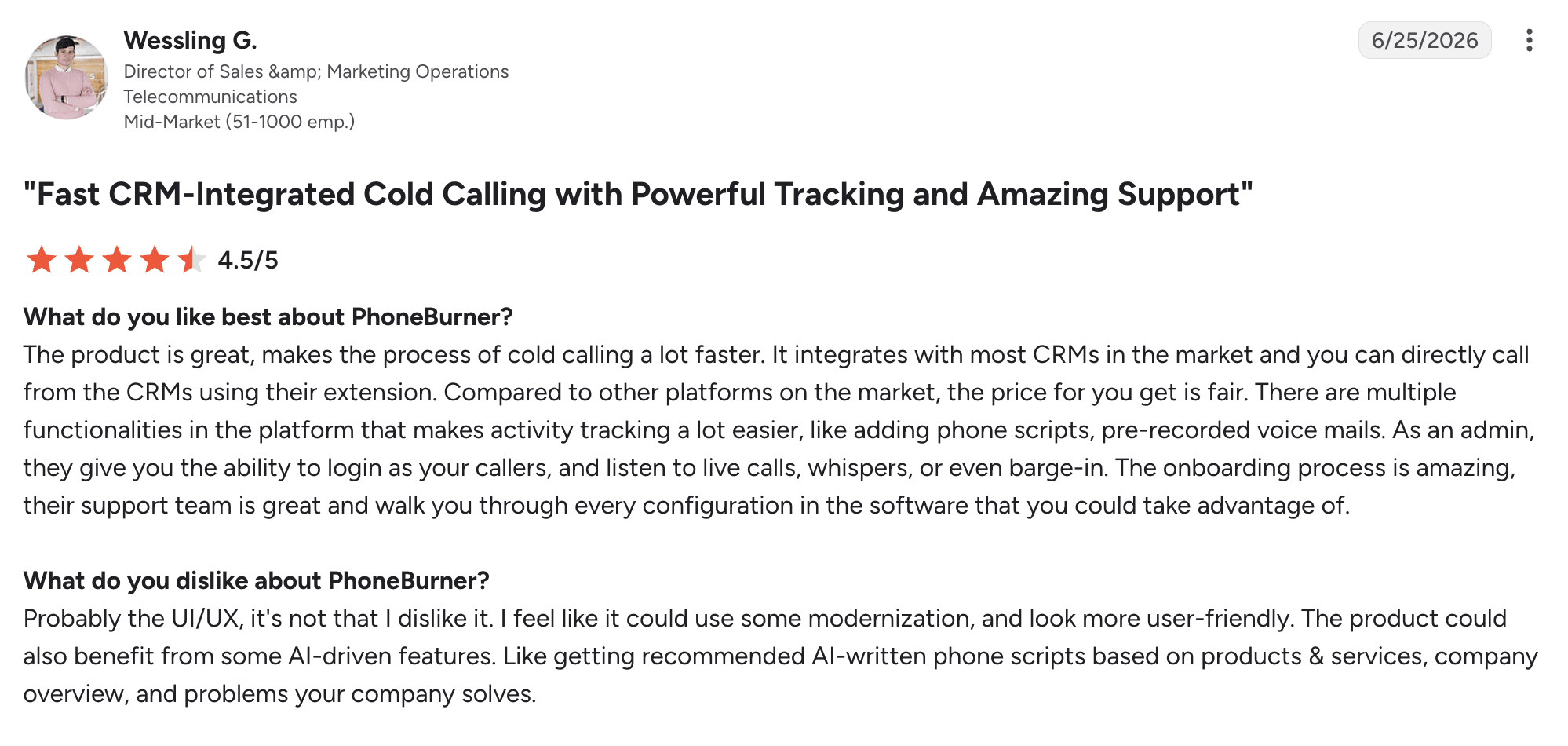
PhoneBurner holds a 4.7/5 rating on G2. The platform receives positive reviews for its spam-monitoring tools, call performance, and customer support. A common complaint is that the interface can feel a bit outdated.
Best fit
Sales teams of 5–50 agents that prioritize call quality, caller ID reputation, and predictable pricing over maximum call volume.
4. Readymode: Best for small to mid-sized outbound teams wanting an all-in-one solution
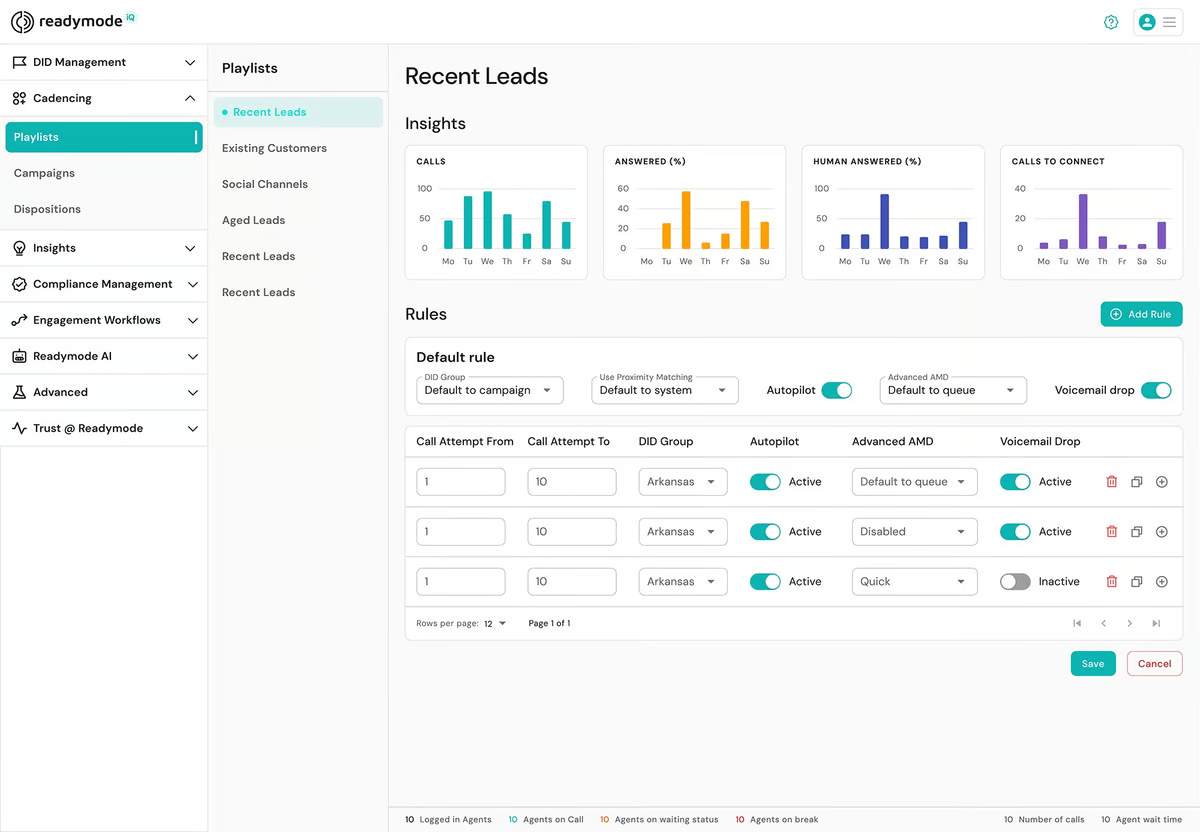
Readymode is an all-in-one outbound dialer that combines dialing, CRM, and lead management in one platform. It supports preview, progressive, and predictive dialing, so teams can manage their calling workflow without piecing together separate tools. It’s particularly suited to smaller outbound teams that want their dialer and lead management in one place.
Pricing (annual)
- Readymode starter: $199/license/mo
- Readymode iQ: $249/license/mo
Pros and cons
| Pros | Cons |
|---|---|
| Preview, progressive, and predictive dialing in one platform | Best suited to outbound sales; less ideal for omnichannel support centers |
| Quick deployment for teams that want everything in one system | CRM depth may not match dedicated enterprise CRMs for complex pipelines |
Top features & integrations
- Preview, progressive, and predictive dialing
- Built‑in CRM, lead management, and campaign tools
- Call recording
- Voicemail drop and automated callbacks
- All major CRM integrations
User feedback
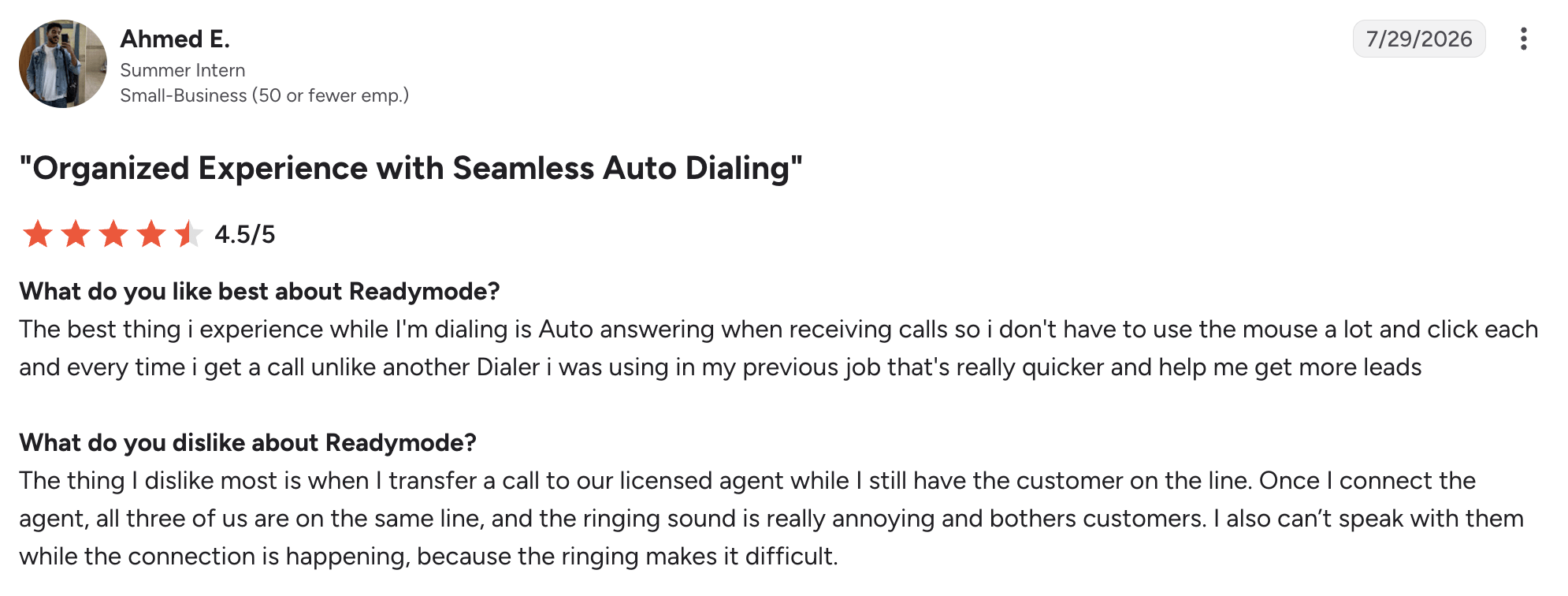
Readymode has a 4.6/5 rating on G2. The vendor gets positive feedback for its ease of setup, bundled dialer and CRM features, and fit for smaller outbound teams. Reviewers also highlight the convenience of having calling and lead management in one platform.
Best fit
Small to mid-sized outbound teams with 5–25 seats that want an all-in-one dialer and CRM on a single bill.
5. VICIdial: Best dialer for maximum flexibility at scale
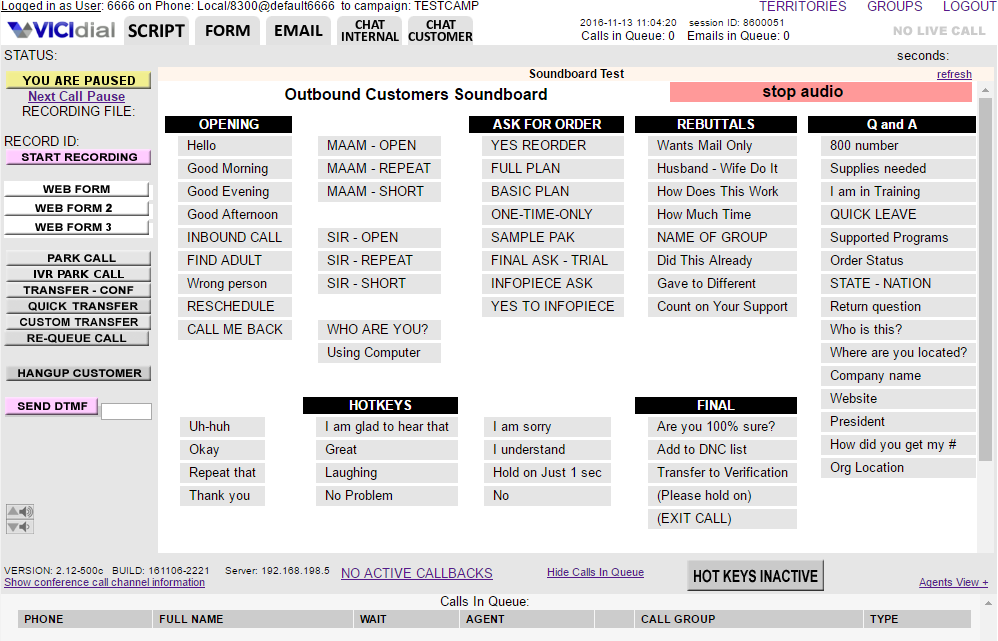
VICIdial is a free, open-source contact center platform that supports a wide range of dialers, including predictive, progressive, ratio, preview, manual, and broadcast dialing. It also includes inbound ACD and advanced supervisor controls. Its biggest advantage is flexibility: teams can customize the platform extensively without paying for commercial dialer software. However, the total cost still depends on hosting, telephony, and the technical expertise needed to set it up and maintain it.
Pricing
Free (open source). There are no software licensing or per-seat fees, but running VICIdial still requires hosting, telephony, and administration. Self-managed hosting typically costs around $80–500 per server/month. Additional costs can include SIP trunking, phone numbers, system administration, and compliance tools. Outbound calls typically cost $0.005–$0.015 per minute, depending on the carrier. Incoming toll-free calls average around $0.028 per minute.
Pros and cons
| Pros | Cons |
|---|---|
| Every dialing mode plus inbound ACD in one platform | Requires Linux/MySQL/Asterisk skills or a managed host |
| Highly customizable for complex workflows | UI and onboarding can be challenging for non-technical teams |
| Large community and many third-party hosting providers |
Top features & integrations
- Predictive, progressive, ratio, preview, manual, and broadcast dialing
- Inbound ACD, IVR, and skills‑based routing
- Supervisor controls: listen, whisper, barge
- AMD
- Call recording
- All major CRM integrations
User feedback
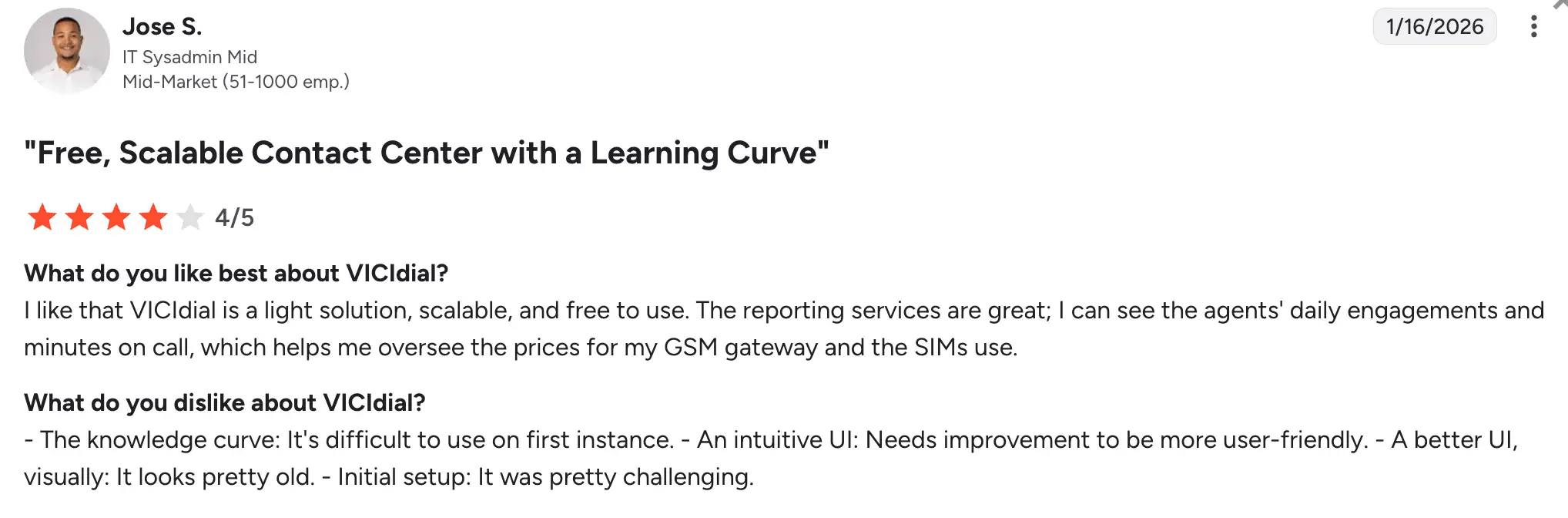
VICIdial scores 4.1/5 on G2. Users praise its flexibility and cost efficiency, particularly at scale, while other reviewers often mention a steeper learning curve and the need for technical expertise.
Best fit
Mid‑market to enterprise teams with technical resources or a managed host, needing maximum control and low software cost.
6. Nextiva Contact Center: Best preview dialer software for consolidating phone system and contact center
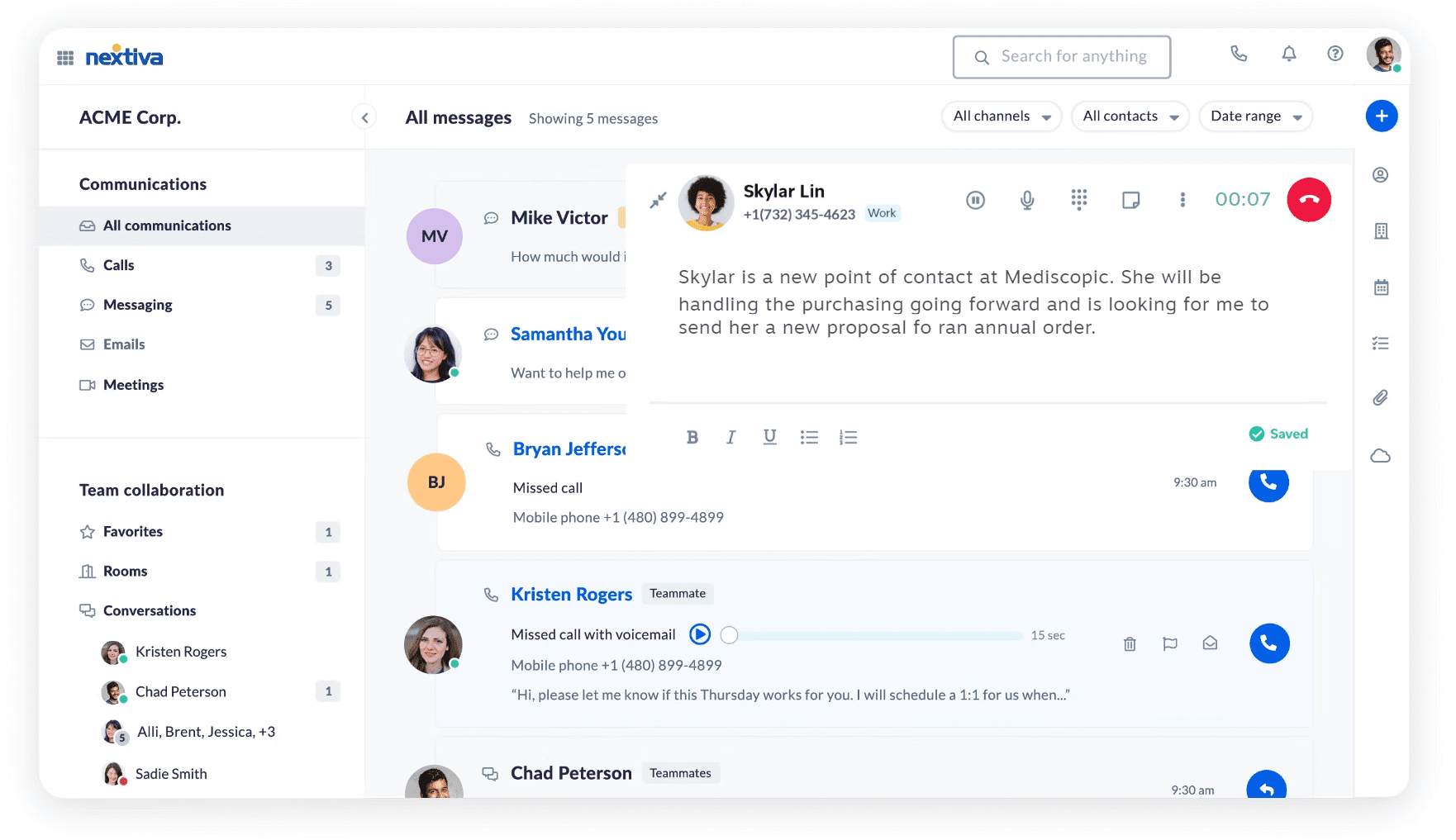
Nextiva Contact Center is a platform that offers preview, progressive, and predictive dialing alongside business voice, a built-in CRM, and bundled platform minutes. Its main differentiator is one-vendor consolidation, particularly for teams already using Nextiva for business phones. Keeping voice and contact center services under one provider can simplify billing and make telecom costs more predictable.
Pricing
- Essential: $75/user/mo
- Professional: Custom pricing
- Premium: Custom pricing
Pros and cons
| Pros | Cons |
|---|---|
| Preview, progressive, and predictive dialing in one platform | Pricing is mostly quote-based; total cost depends on selected tiers and seat count |
| Strong fit for existing Nextiva UCaaS customers | Advanced AI and compliance features require higher tiers |
| Unified admin for voice, contact center, and messaging |
Top features & integrations
- Preview, progressive, and predictive dialing
- Built‑in CRM
- Call routing
- Queue management
- Voicemail
- Call recording
- All major CRM integrations
- Caller ID reputation tools and compliance controls
User feedback
Nextiva Contact Center has no G2 rating yet.
Best fit
Mid-market teams already using Nextiva for business phones that want to add contact center dialing without bringing in another telecom provider.
7. Five9: Best for blended inbound and outbound contact centers
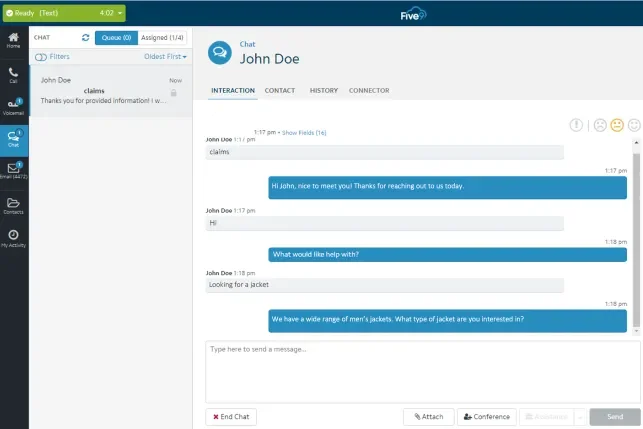
Five9 is an enterprise-grade platform offering preview, progressive, predictive, and power dialing, along with workforce management (WFM), Agent Assist AI, and extensive compliance controls. One of its main advantages is the depth of its contact center capabilities, making it a strong fit for organizations with large, dedicated contact center operations, such as insurance and collections.
Pricing
- Digital: $119/user/mo
- Core: $159/user/mo
- Plus: Custom pricing
- Pro: Custom pricing
- Enterprise: Custom pricing
Pros and cons
| Pros | Cons |
|---|---|
| WFM, Agent Assist AI, and advanced compliance controls | 50-seat minimum rules out smaller teams |
| Deep omnichannel routing and analytics for large operations | |
| Strong ecosystem of integrations for enterprise stacks |
Top features & integrations
- Preview, progressive, predictive, and power dialing
- Workforce management (WFM) and quality management
- Agent Assist AI and real‑time guidance
- Omnichannel routing, IVR, and detailed analytics
- All major CRM integrations
User feedback
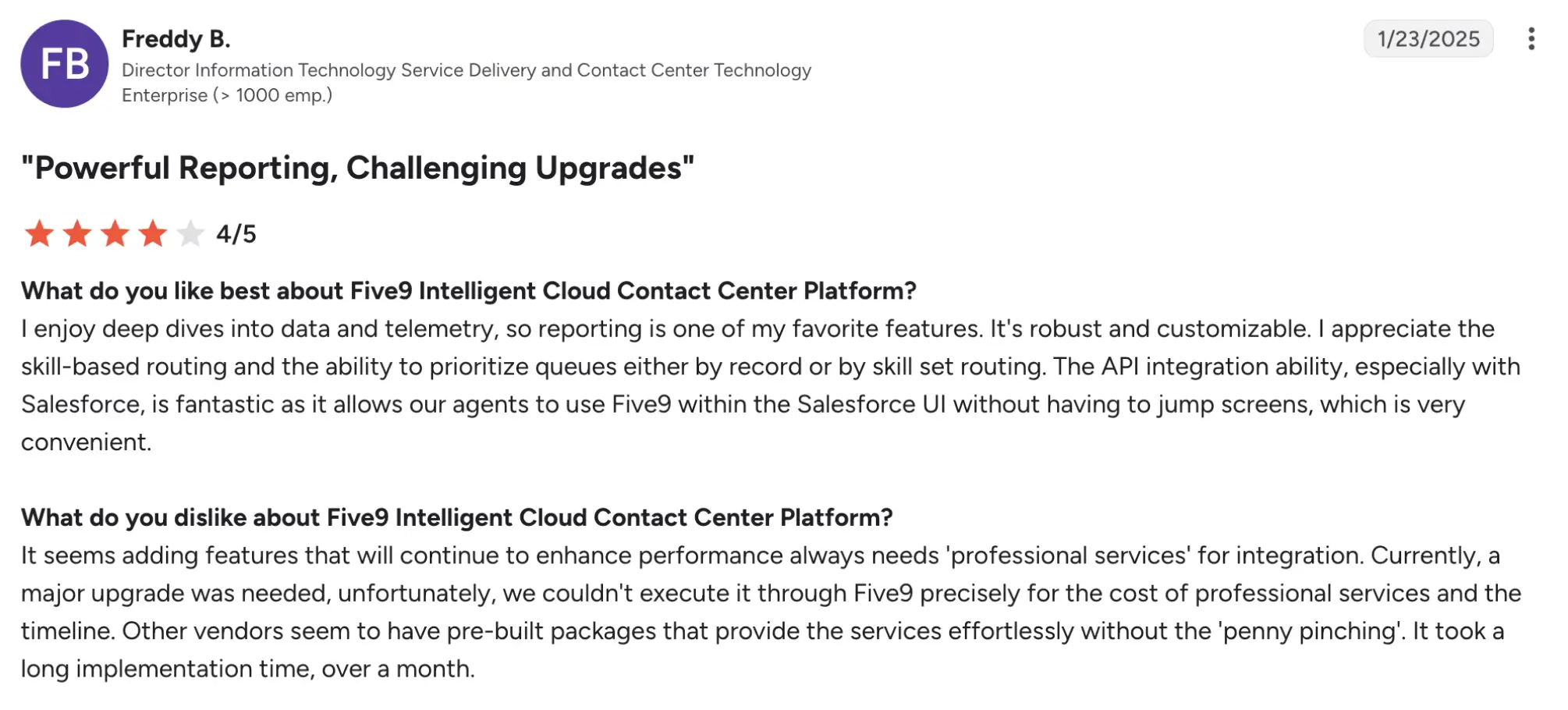
Five9 has a rating of 4.1/5 on G2. Five9 users praise its enterprise features and scalability, while reviewers also point to its higher cost and greater complexity.
Best fit
Mid-market and enterprise contact centers with 50+ seats that need blended inbound and outbound calling, workforce management, and advanced compliance controls.
How to choose the best preview dialing software for your team
The best preview software for your team is the one that fits your actual calling workflow, compliance requirements, and total cost of ownership. Not simply the one with the lowest headline price or the most dialer options. First, make sure the platform supports your required preview workflow; then compare total cost, caller ID and local presence options, and compliance controls before narrowing your shortlist.
Decision checklist:
- Confirm preview workflow support: Verify how preview software works, including preview time, wrap-up, retries, and whether your plan includes the features you need.
- Define users and workflow: Determine how many agents will use preview mode, what information they need before each call, and whether you also need progressive or predictive modes.
- Compare total expected cost: Factor in per-seat pricing, required add-ons such as local presence, voicemail drop, or AI summaries, plus any minimums or contract terms.
- Identify caller ID and local presence needs: Consider which regions you call, whether you need local numbers, and what spam-protection features are available.
- Document compliance requirements: Define your requirements for DNC/TCPA controls, consent tracking, recording disclosures, and audit trails.
- Evaluate included features and add-ons: Check which capabilities are included in the base plan and which require additional fees, including AI summaries, call monitoring, and advanced routing.
- Assess adoption needs: Consider setup complexity, required integrations, training, and how quickly your team can start using the platform.
- Shortlist vendors: Narrow your best options to 2-4 platforms that meet your must-have requirements and budget.
- Validate in demos: Ask vendors to demonstrate the exact preview workflow you’ll use and provide examples of relevant reports and admin views.
Examples:
- An insurance team may prioritize lead context and compliance controls, making preview mode essential.
- A home services organization may prioritize local presence and caller ID reputation to improve answer rates.
- A B2B inside sales team may value simple deployment and CRM integration over advanced CCaaS features.
- A larger contact center may compare quote-based platforms such as Five9 and RingCX for blended inbound and outbound operations.
What to verify about compliance and caller‑ID reputation
Two areas deserve particular attention when choosing a preview dialer: compliance controls and caller ID reputation. Treat software features as tools that support your compliance efforts, not as guarantees of compliance or protection against spam labeling.
Compliance controls
Compliance tools support your organization’s legal obligations, but they do not guarantee compliance or replace legal and compliance processes. Evaluate TCPA or DNC-related features such as list scrubbing, consent tracking, do-not-call controls, and audit logs in the context of your industry, regions, and calling practices.
Ask vendors how they handle consent capture, DNC list management, recording disclosures, and audit trails, and confirm which features are included in the plan and which require add-ons.
Buyer questions:
- What DNC/TCPA controls are included, such as list scrubbing, consent fields, and audit logs?
- How do you handle recording disclosures across the regions you call?
- Can you export audit logs for compliance reviews?
Caller‑ID reputation
Local presence and caller ID reputation are related but distinct considerations. Local presence focuses on displaying a number that looks familiar to the recipient. Caller ID reputation concerns how carriers identify and label your number, including potential spam flags and business-name display. No tool can guarantee protection from spam labeling, but features such as branded caller ID, SHAKEN/STIR support, and spam monitoring or remediation can help manage caller ID reputation. Ask vendors how they monitor spam flags, what remediation options they offer, and whether branded caller ID is included or requires an add-on.
Buyer questions:
- What caller ID reputation tools are included, such as branded caller ID and spam analytics?
- How does local presence work, and which regions are supported?
- What remediation options are available if a number is flagged as spam?
Questions to ask during a preview dialer demo
Use this checklist to turn the article’s recommendations into a practical vendor-evaluation process and reduce the risk of buying based on headline features alone. Phrase each item as a live request during the demo.
- Show preview mode live: Which plan includes preview dialing, and can you demonstrate the exact workflow, including preview time, wrap-up, and retries?
- Show plan inclusions: Which required features are included, and which are add-ons, including local presence, voicemail drop, AI summaries, and call monitoring?
- Give us the full cost: What would the total price be for our expected number of users, including required add-ons, minimums, and applicable taxes?
- Show local presence: How does local presence work, and which regions and number types are supported?
- Explain caller ID reputation: What tools are included for branded caller ID, spam analytics, and spam-flag remediation?
- Show voicemail drop: How does voicemail drop work, and are there usage limits or plan restrictions?
- Show compliance controls: What DNC/TCPA-related features are available, including list scrubbing, consent tracking, and audit logs?
- Explain implementation: What setup and configuration work is required, and how long does implementation typically take?
- Show our integrations: Which integrations are available for our actual CRM, help desk, and data tools?
- Review contract terms: What are the contract length, early termination terms, and price increase provisions?
- Request live demonstrations: Which features should we evaluate hands-on rather than accept as a verbal or feature-list confirmation, particularly preview workflows, reporting, and admin controls?
- Key takeaway: Request a live demonstration of the exact preview workflow your team will use, rather than relying on a feature-list confirmation.
Choose a preview dialer based on fit, not one headline feature
The best preview dialer is the one that fits your workflow, compliance needs, and total cost, not necessarily the one with the most dialers or the lowest headline price. No single feature determines the right choice. Verify current pricing, plan availability, and add-ons, then narrow your options to two to four platforms that meet your must-have criteria.
Validate those options in live demos and choose the platform that offers the right balance of cost, control, and ease of adoption for your team.